オフライン環境でWindows Defenderの定義ファイル(パターンファイル)を更新する方法を説明します。
Windows Defender定義ファイルのダウンロード
1.以下のURLをブラウザで開きます。


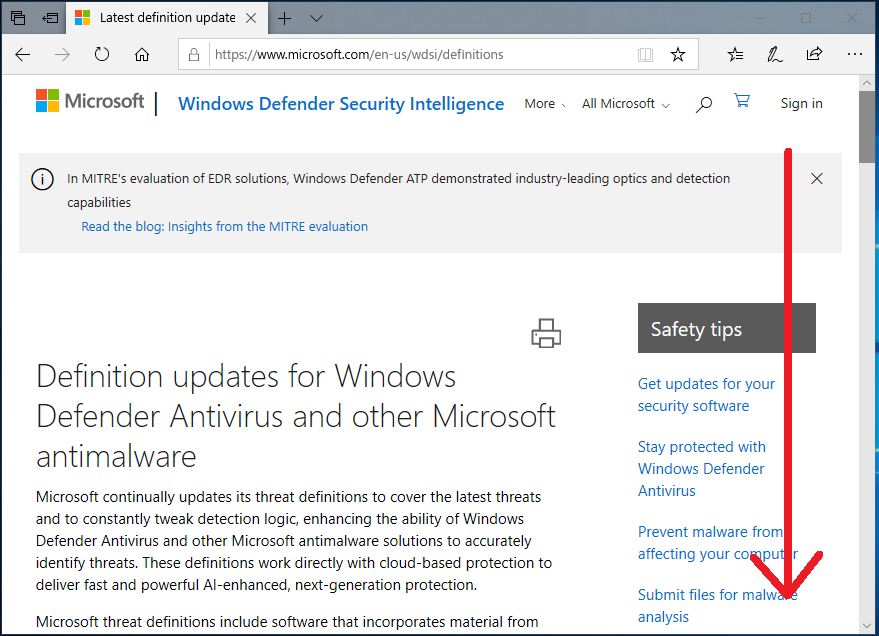
2.画面を下へスクロールすると定義ファイルのバージョンとリリース日を確認できます。
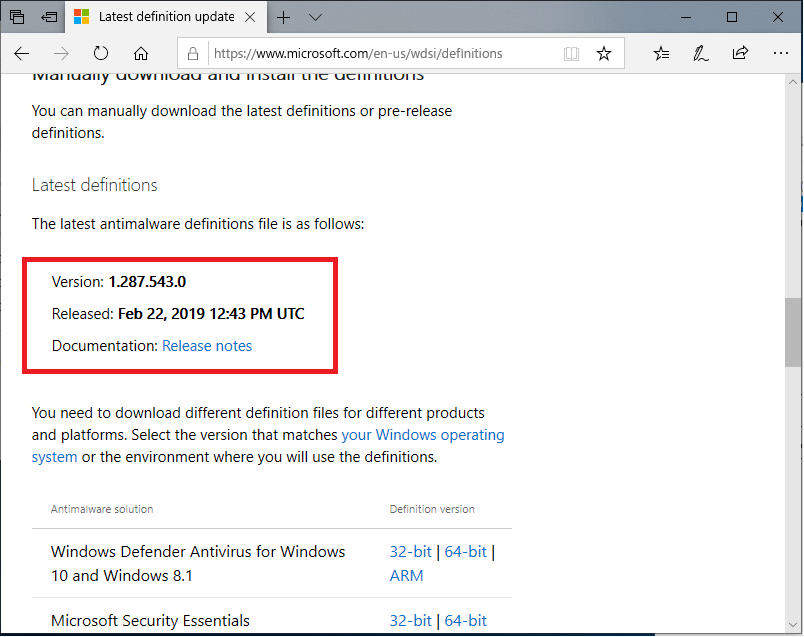
3.さらに下へスクロールすると「Windows Defender」や「Microsoft Security Essentials」の定義ファイルのリンクがありダウンロード可能です。
「mpam-fe.exe」というファイルがダウンロードできます。

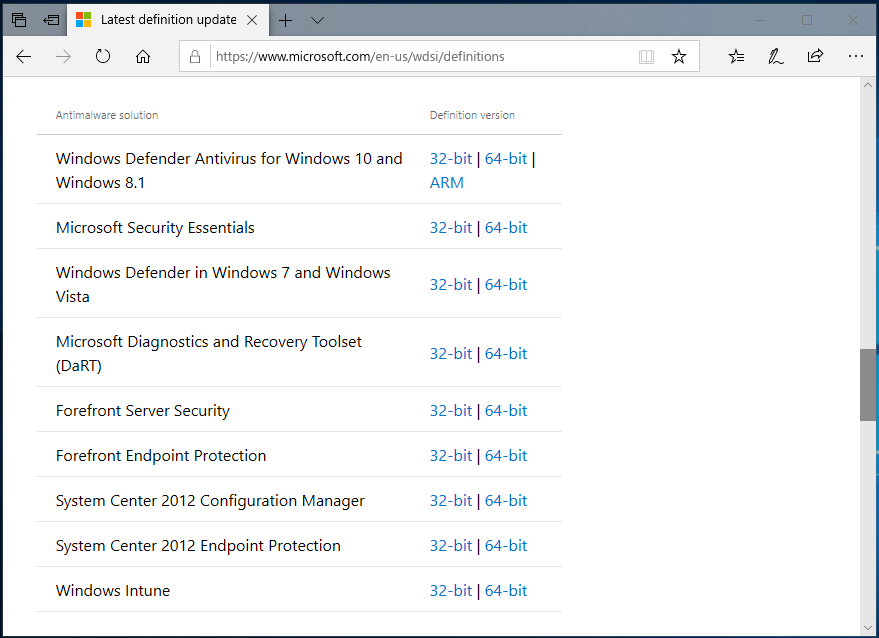
定義ファイルがダウンロード可能なセキュリティソフトには以下の物があります。
・Windows Defender Antivirus for Windows 10 and Windows 8.1(32bit/64bit/ARM)
・Microsoft Security Essentials(32bit/64bit)
・Windows Defender in Windows 7 and Windows Vista(32bit/64bit)
・Microsoft Diagnostics and Recovery Toolset (DaRT) (32bit/64bit)
・Forefront Server Security(32bit/64bit)
・Forefront Endpoint Protection(32bit/64bit)
・System Center 2012 Configuration Manager(32bit/64bit)
・System Center 2012 Endpoint Protection(32bit/64bit)
・Windows Intune(32bit/64bit)
Windows Defender定義ファイルのインストール
ダウンロードを行った「mpam-fe.exe」を実行します。
実行しても実は何も表示はされませんが定義ファイルの更新は完了しています。
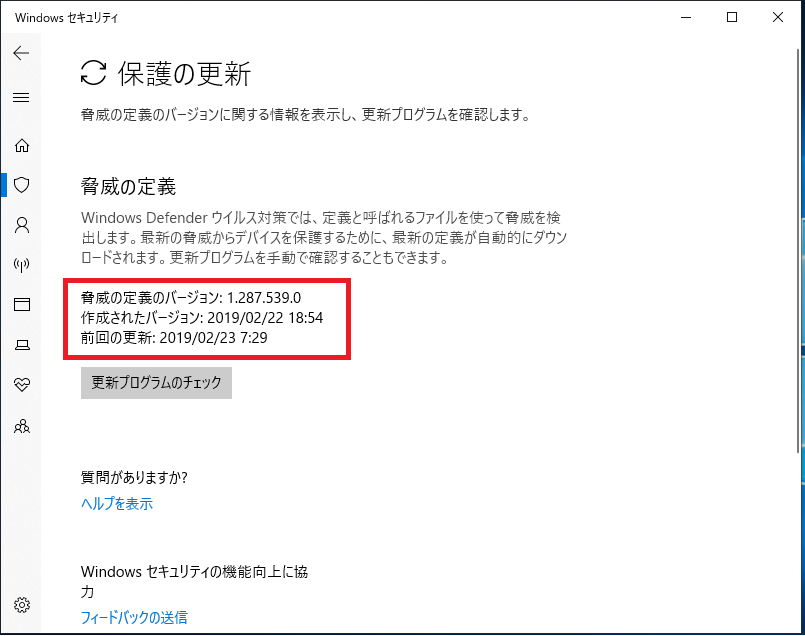
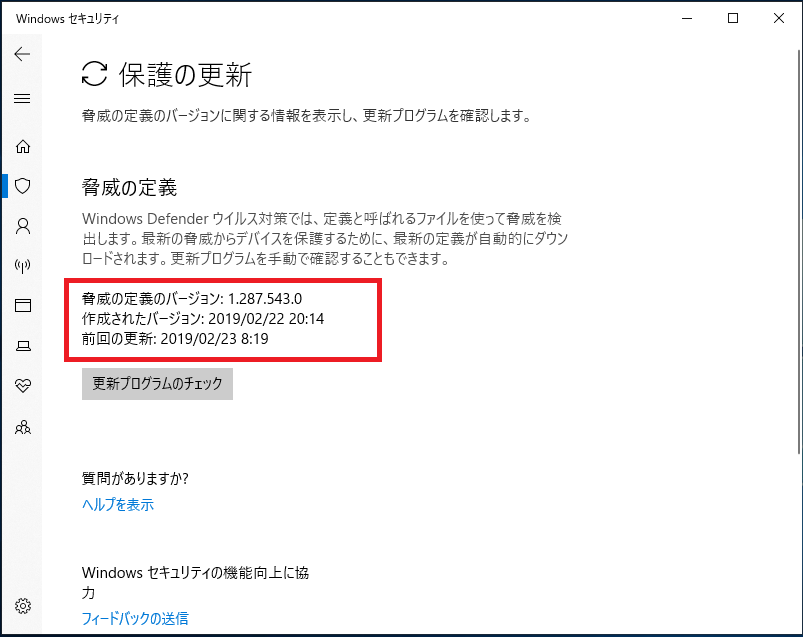
Windows Defenderの「前回の更新」の日付を確認すると更新まえと後では日付が変わっていることを確認できます。
【更新前】
【更新後】
Windows Defender定義ファイルのインストールは以上となります。